A slew of updates

We’ve been very busy here at Helpmonks to make your shared inbox better every day. Here are some of the latest enhancements to bring your team email to the next level.


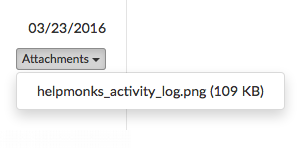
New attachment drop-down menu

Better way to manage those attachments
Many of our customers are receiving and sending hundreds of attachments a day. To help make the attachments easier to find we’ve updated Helpmonks so that your attachments are shown in a convenient drop-down menu.

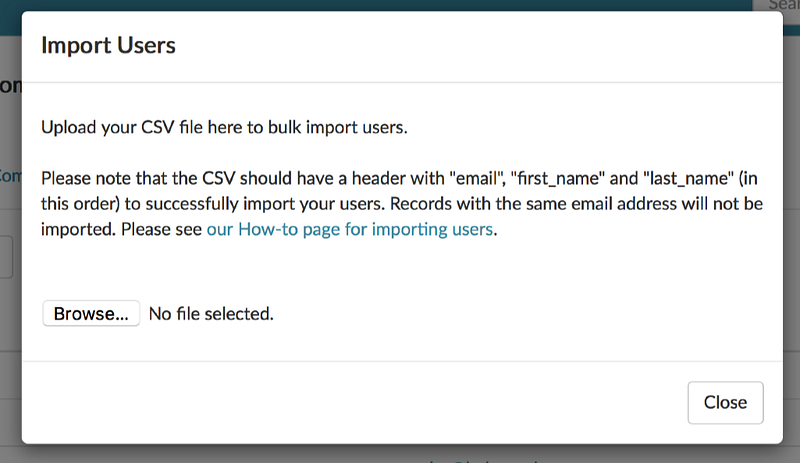
You can now import users

As Helpmonks is growing we constantly explore how to make it easier for our customers to use Helpmonks. One of those time savers has just been made available — you can now import users from a CSV file.

With the new import option you can import customer records and/or internal users in bulk. It’s a simple and easy way on your way to a better team email management.

Team Email Management made easy
Helpmonks is the easy to use

Razuna 1.8.2 is now available

Razuna 1.8.2 and the latest version of the search server is now available. Razuna 1.8.2 contains these important changes:


Search Enhancements
Locally stored documents are now indexed again, i.e. Razuna 1.8.2 features again the full body text of documents.
Furthermore, the search for content of custom fields has been greatly enhanced.

Upload of file with the API for AWS S3 storage
An issue has been fixed that prevented large files to be properly

Set a default assignee on replies

We are happy to announce another feature that was requested by our customers — the option to set the default assignee on replies.

Setting a default assignee on replies solves the issue where when you reply and forgot to assign it to yourself it will be done automatically done for you. Another benefit of this setting is that a message gets automatically assigned to the person replying if the message is unassigned.

This is just one of the latest new features

Yes, I agree that is a good idea. I will put it on our RoadMap.

Yes, I agree that is a good idea. I will put it on our RoadMap.

Thank you.

Of course, here is an example:

Of course, here is an example:

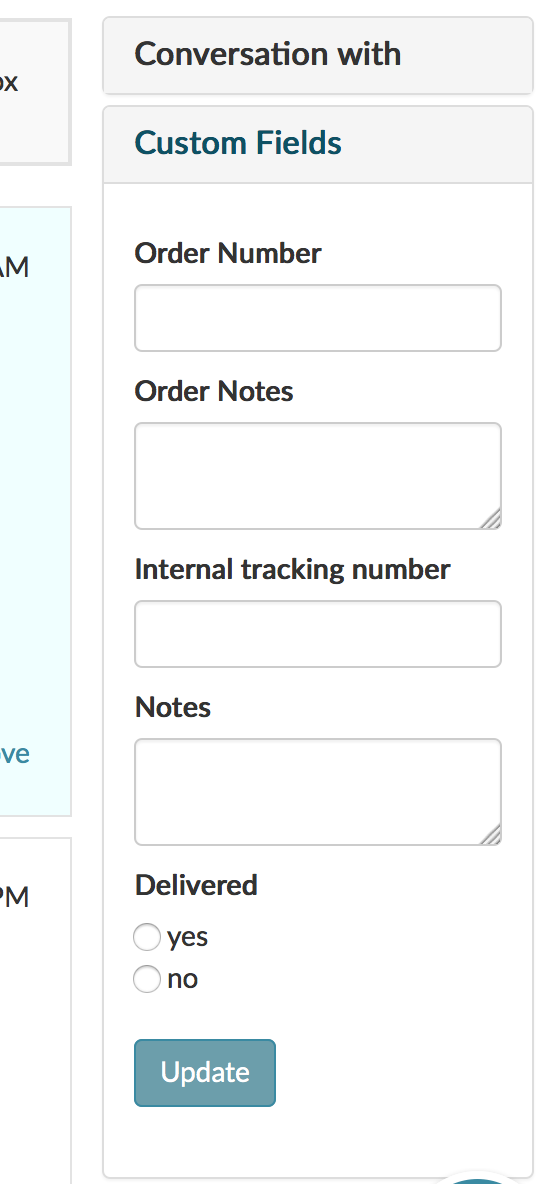
Custom fields in Helpmonks

Some updates

Today we pushed a few updates to the Helpmonks platform. Some of these are direct user requests. Here is the list of changes:

  • Enabled search for custom fields. If you haven’t done so, check out the custom fields plugin
  • In the conversation list, messages that you have sent or replied to, are now show in italic and greyed out
  • In the message detail view all images show now properly for all devices (responsive)
  • Sending with the setting “sent from

Drafts, drafts, drafts

We’re excited to announce that we released “Drafts” today. Drafts, as the name implies, autosaves your replies in Helpmonks and lets you easily return to them at a later time.

All your drafts show on the left side panel, and navigating to ‘Drafts’ lists conversations with unsent drafts. Clicking on a conversation with a draft will load the draft automatically in the editor.

Drafts in Helpmonks

Helpmonks will autosave your replies every 20 seconds as a draft. Additionally, there