Drafts, drafts, drafts

We’re excited to announce that we released “Drafts” today. Drafts, as the name implies, autosaves your replies in Helpmonks and lets you easily return to them at a later time.

All your drafts show on the left side panel, and navigating to ‘Drafts’ lists conversations with unsent drafts. Clicking on a conversation with a draft will load the draft automatically in the editor.
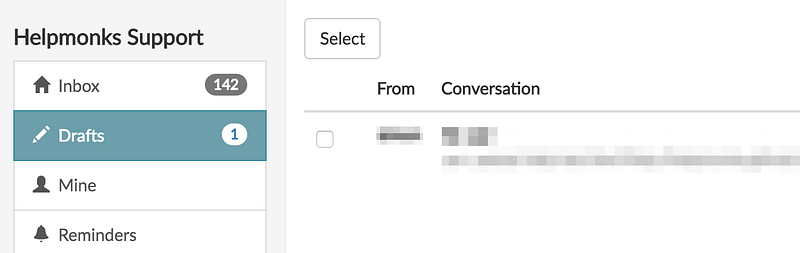
Drafts in Helpmonks

Helpmonks will autosave your replies every 20 seconds as a draft. Additionally, there

My travel hacks

My travel hacks

Update 2018: After having received over a thousand upvotes on Quora and being featured in newspapers, my post below was removed on Quora (without given a reason). Hence, I hope you get even more out of it right here :)

As I’m flying over 200k a year, I often get asked what my recommendations are for traveling. Here are my “hacks” for flying.

  • After years of laughing at people walking around with a neck pillow, I got one myself.

Razuna 1.8.1 maintenance release

Razuna 1.8.1 and the Razuna Search Server 2.1 is now available. This is a maintenance release for all previous versions and we strongly encourage you to update immediately.

With Razuna 1.8 we introduced new ways to store, manage and search your files. Especially, the search underwent major re-engineering efforts. Razuna 1.8.1 contains further updates to the search, especially a fix to search in multi-select custom fields within the advanced search and content

Custom Fields are here!

Today is a big day here at Helpmonks as we’ve just released one of the most requested features - Custom Fields.

With custom fields you can store relevant data for each customer right within the conversation itself. With default values and validation you can rest assure that users enter the correct data.

Setting up a custom field is easy. Within the “Custom Fields” section click on “Add new custom field”. Here you can define the name, the type of field

What should we build next?

Here at Helpmonks we value our customer’s requirements above anything else. While this might be a marketing slogan for some, we take this seriously and therefore ask; what we should build next?

Yes, that right, help us decide how to expand Helpmonks and at the same time make Helpmonks yours. You can select the features you’d like to see or even suggest new ones. To do so, simply head over to this form.

Thank you.

Small update for company users

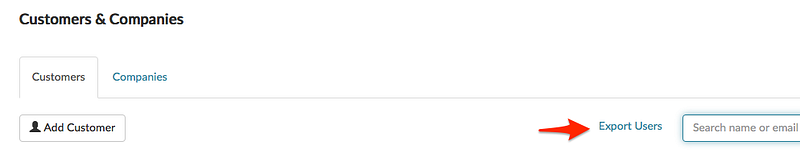
While we are on our way to open up Helpmonks to broader integration (Zapier, Custom Fields, Custom Application, etc.) here is a small new feature that some of our users requested.

As of immediately there is an option to export all email addresses (company users) to a CSV file.

Sometimes, it is those little features that make the life of our customers easier :)

Looking for a way to tame the team email flow?

Helpmonks is the ridiculously easy way

It’s here: Change the TO on any conversation

We are excited to announce that one of the most requested options is finally available in Helpmonks, i.e. you can now change the “TO” in the web app itself.

As changing the “TO” of any email conversation thread has some impact on the history and email flow, we tried to be as smart about it as possible. Meaning, when you change the “TO”, not all of the conversations will be changed, but only the current and future replies when

Making adding new labels easier

Many of our customers use labels to further categorize their team emails. As labels are not bound to a user, but to the whole shared inbox, all team members will work with the same labels. No wonder, labels is one of the most used feature in Helpmonks.

As labels are frequently used, I’m happy to announce that adding a new label just got easier. As of immediately, you can add a label from within the message list and/or