Filter emails by an assignee

Many of our customers have been asking for this, and we are happy to make this feature now available — the option to filter emails by an assignee.

The option to filter by an assignee is available when you go to the “Assigned (to others)” folder. You then see in the upper right corner of your emails a drop-down menu that lets you filter the list by the assignee.
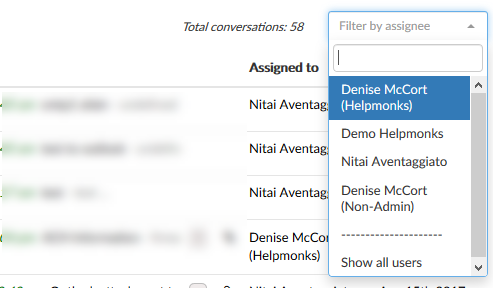
Helpmonks — filter by an assignee

Next up
We are nearly

I would stay away from any VPN offering that is free.

I would stay away from any VPN offering that is free. Reason is simple as everything that is “Free” automatically means the company needs to make money from you in another way. This usually means, your information.

On the iPhone you could use any VPN provider, e.g. ExpressVPN, that offers a native app.

There are also options like the recent Firefox Focus browser which “should” not reveal any private information about you.

Hope this helps.

Changes to the notifications

We are hard at work this summer on a wide variety of improvements for Helpmonks. We’ve added 2-Step Verification, individual signatures per mailbox, and Collision Detection to only name a few.

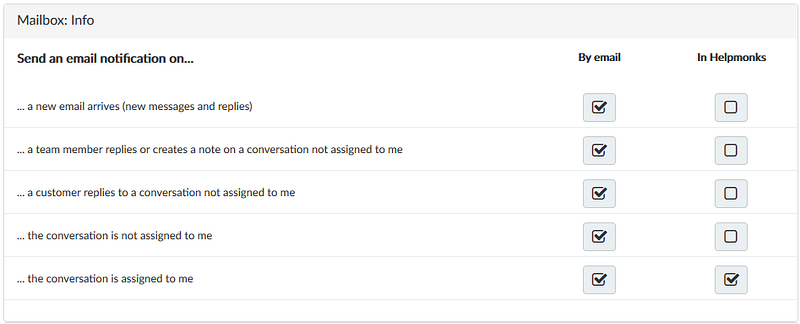
Today we’ve re-designed the notifications and finally made it possible to customize the notification for assignment, i.e. when you are assigned to an email to be notified or not.

New notification design and assigned to you

See, when we started out, it was

What’s new in Helpmonks

What’s new in Helpmonks

We’ve made lots of enhancements to Helpmonks in the last four weeks. Here are some of the most notable ones;

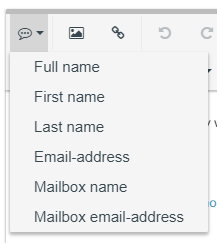
Variables in signatures
One of the most popular requests from the public Helpmonks RoadMap was to be able to use dynamic variables in your signatures. We are happy to announce that this is now available to all users of Helpmonks.

Variables in signatures

Count of emails in the browser tab
You will now see the number of

New in Helpmonks: Collision Detection

New in Helpmonks: Collision Detection

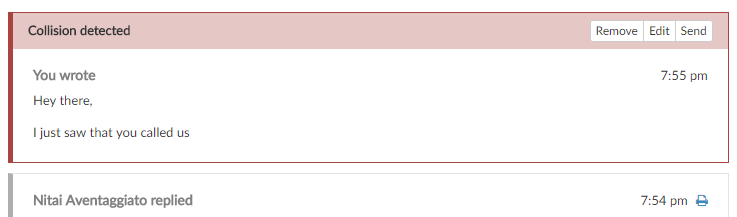
We are very excited to announce that the #1 requested feature for Helpmonks is finally here — Collision Detection!

Collision Detection works in multiple ways — within the Helpmonks application and also upon sending replies from your email client.

Within the Helpmonks application, you will now see a status when someone is viewing a conversation which is also in your view. Furthermore, you’ll also see a status when someone is actively composing a reply. Status messages for both actions will appear

New in Helpmonks: Create an individual user signature for each mailbox

Here is another feature that many Helpmonks users requested — the option to create different user signature per mailbox.

With this new option, our users are now able to create individual signatures for each mailbox. This new option is especially helpful if you use Helpmonks with more than one email domains, but still, want to keep everything under a single account.

For example, you can create a signature for [email protected] and a completely different signature for sales@business-

2-Step Verification is here

We are excited to announce that 2-Step Verification a.k.a Two-Factor Authentication is now available to all customers of the Helpmonks hosted-, cloud-server-, and self-hosted edition.

While the digital revolution has made our lives easier, there is always as a risk with storing your information online. At Helpmonks we’ve made it our goal to protect your privacy and security at all costs.

Now, we are making your Helpmonks security even safer with our new

More options for your emails

Lots of things are going on here at Helpmonks as we are churning out almost weekly new features and options to help our customers with their team email workload.

Here are some of the latest product updates to Helpmonks.

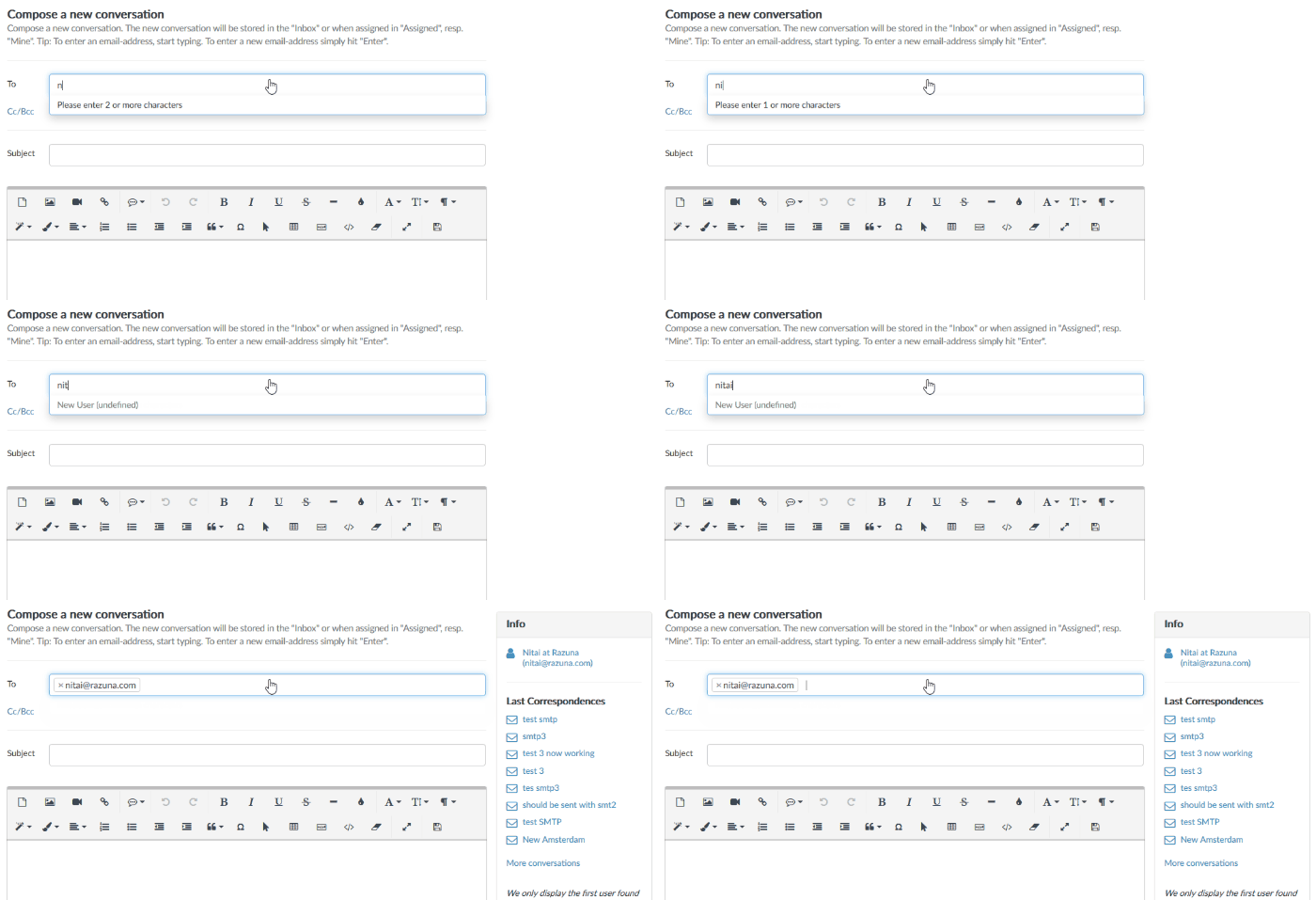
Composing a new email shows the user information too
When you write a new email, you now see the user information on the right with the recent email conversations.

More options in the editor
Many of our customers requested to have