New in Helpmonks: Mentions

New in Helpmonks: Mentions

Mentions are finally available in Helpmonks. Mentions allow you to create a note and only notify the people that you deem relevant to the conversation.

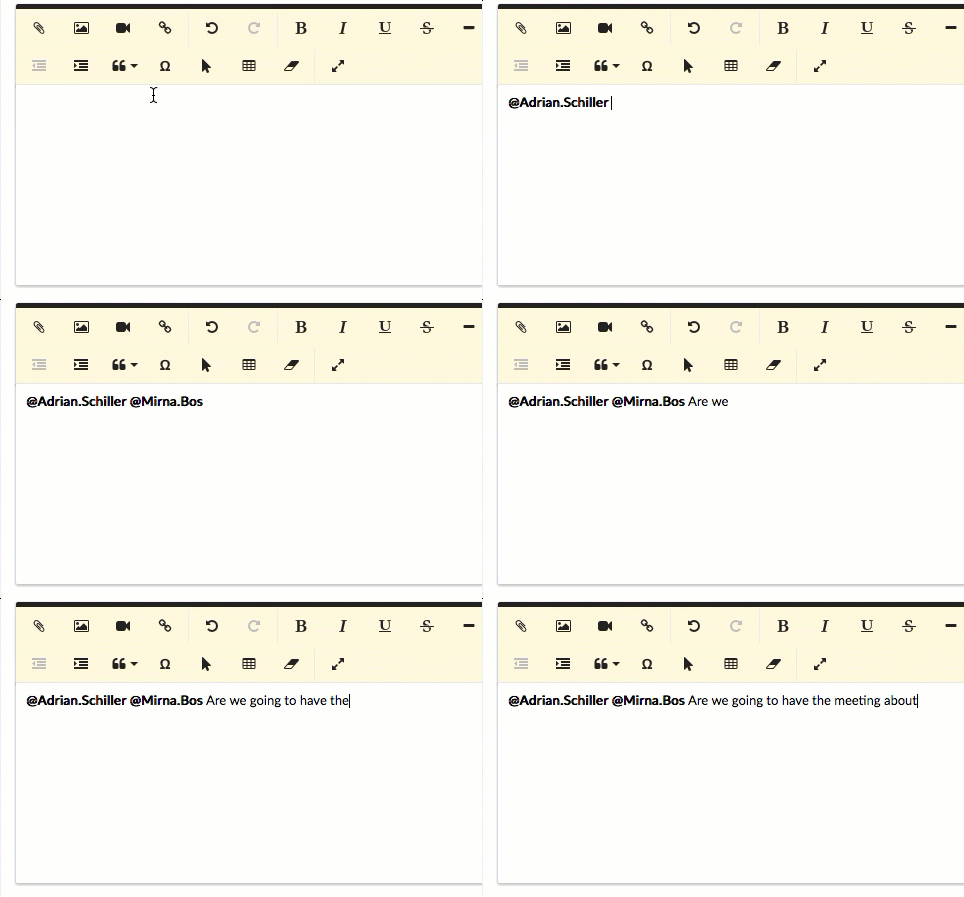
To mention someone is as easy as typing the @ sign and you will be presented with a list of users of the mailbox.

Mentions in Helpmonks

The user(s) who got mentioned will receive an email and/or a desktop notification (depending on their preferences). Also, they will also find that they have been mentioned

New features empowers Helpmonks users with customization

New features empowers Helpmonks users with customization

At Helpmonks, we’re huge believers that we don’t live in a one-size-fits all world. As such, we’ve designed our powerful suite of collaborative email, email marketing, and CRM tools to be as flexible as possible.

We have a wide variety of types of users — from small startups to Fortune 500 companies — and trying to force either of them to behave like the other would be like herding cats. Actually, it’d be worse than that.

New features empowers Helpmonks users with customization

New features empowers Helpmonks users with customization

At Helpmonks, we’re huge believers that we don’t live in a one-size-fits all world. As such, we’ve designed our powerful suite of collaborative email, email marketing, and CRM tools to be as flexible as possible.

We have a wide variety of types of users — from small startups to Fortune 500 companies — and trying to force either of them to behave like the other would be like herding cats. Actually, it’d be worse than that.

New in Helpmonks: Zapier

New in Helpmonks: Zapier

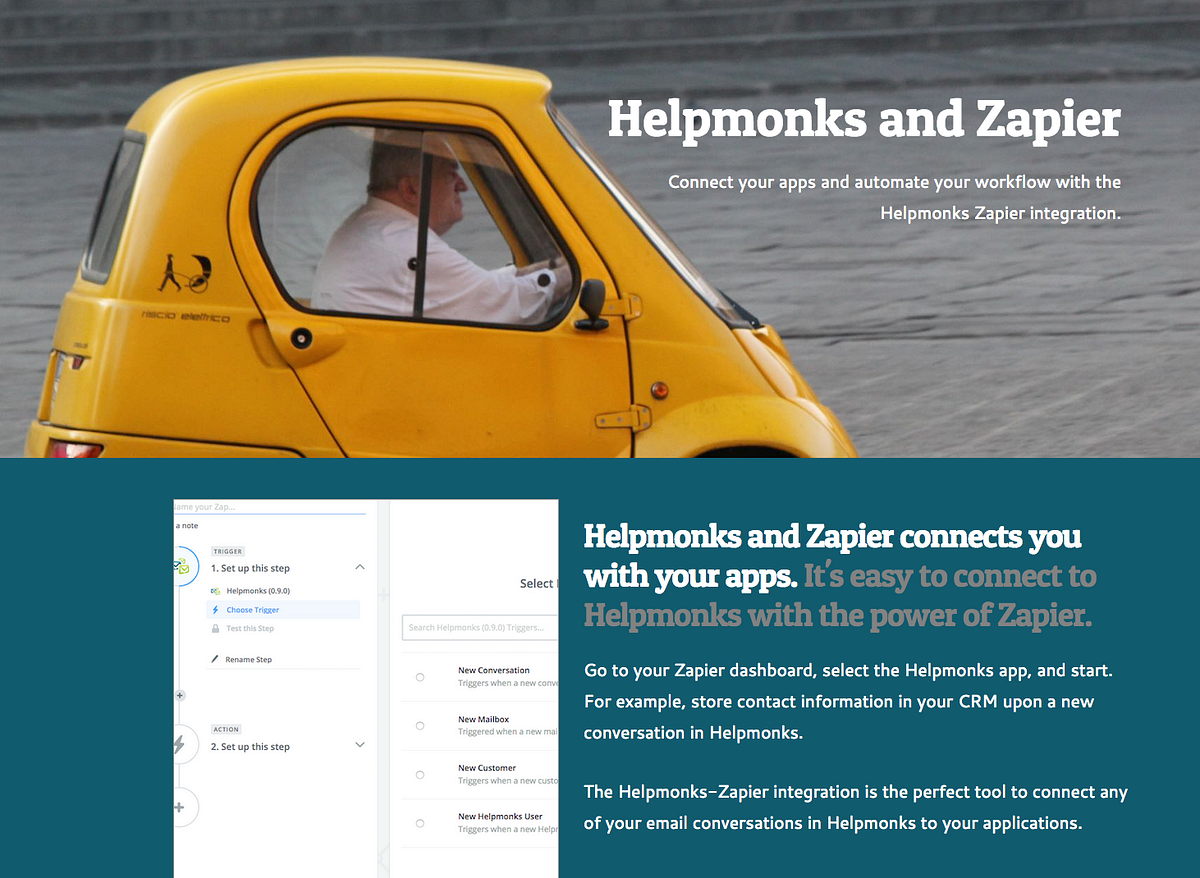
We are happy to announce our latest update — the Helpmonks-Zapier app.

We are very excited about the Helpmonks-Zapier app as it is much more than a simple “integration”. With Zapier, your team email workflows are automatically available to 1,000 other applications.

With the Helpmonks-Zapier app, you can, for example, create a customer record in your CRM, whenever you receive a new conversation. Another example would be to add the email address to your MailChimp mailing

The next step in the Helpmonks email platform journey

The next step in the Helpmonks email platform journey

2017 was an incredibly exciting year for us here at Helpmonks. We saw our platform evolve manifold, and many of you became devoted customers.

From the beginning, our mission was to make our collaborative email platform available to every organization.

Following this mission, we are the only shared inbox solution that has a multi-deployment model, i.e., you can use our SaaS edition, deploy Helpmonks on a dedicated server or use the on-premise version on your private cloud.

The next step in the Helpmonks email platform journey

The next step in the Helpmonks email platform journey

2017 was an incredibly exciting year for us here at Helpmonks. We saw our platform evolve manifold, and many of you became devoted customers.

From the beginning, our mission was to make our collaborative email platform available to every organization.

Following this mission, we are the only shared inbox solution that has a multi-deployment model, i.e., you can use our SaaS edition, deploy Helpmonks on a dedicated server or use the on-premise version on your private cloud.

New in Helpmonks: Adding attachments and images to notes

New in Helpmonks: Adding attachments and images to notes

Welcome to 2018! We have many enhancements and features planned for this year. More on this in another post. For now, we are kicking off, 2018 with one of the most requested feature.

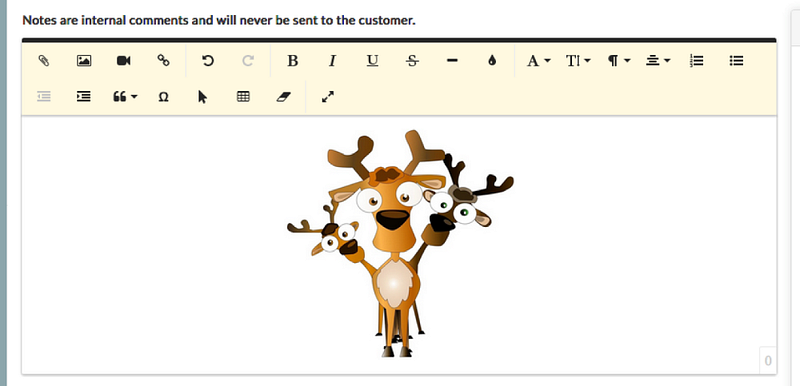
As of immediately, you can add attachment and inline images to notes.

Just like when you compose a reply, you now have the attachment and the image option available to the editor.

Click on the attachments icon to add as many attachments to a note as

New in Helpmonks: Adding attachments and images to notes

New in Helpmonks: Adding attachments and images to notes

Welcome to 2018! We have many enhancements and features planned for this year. More on this in another post. For now, we are kicking off, 2018 with one of the most requested feature.

As of immediately, you can add attachment and inline images to notes.

Just like when you compose a reply, you now have the attachment and the image option available to the editor.

Click on the attachments icon to add as many attachments to a note as